Yes, you can rank locally without a physical address. In my experience, you set up a Google Business Profile as a service-area business, verifying with your real home address while hiding it publicly. The real work is building local authority through city-specific pages and targeted citations, which many skip. Renting a virtual office for a citation is a common mistake that often backfires. I’ve detailed the practical approach next for you.
TLDR
- Yes, Google allows service-area businesses to rank locally using a verified address not visible publicly.
- You must verify a real business address to comply with Google’s guidelines, avoiding PO boxes or virtual offices.
- Optimize your Google Business Profile with service-area settings, local keywords, and regular posts for visibility.
- Create unique location-specific landing pages with local content and schema markup to support local rankings.
- Build local authority through consistent citations and genuine backlinks from area-specific directories and community sites.
How to Rank Your Service Business Without a Physical Address

Even if you don’t have a storefront, you can still rank well locally by focusing your SEO efforts on the specific areas you serve, a strategy I’ve used successfully for years with service-based clients.
First, classify your model correctly as virtual or service-area. Then, create city-specific website pages with local content and testimonials. City-specific landing pages are critical for building relevance in your target locations when you lack a physical address there.
List your business on Facebook and Yelp, specifying your service cities—not a radius—to build legitimate local authority. Use consistent NAP and structured citations to strengthen local search signals across directories.
Step 1: Perfecting Your Google Business Profile for Service Areas
Start by clearly defining your service area boundaries, sticking to a realistic radius you can reliably cover, as I’ve seen too many listings get flagged for overreach.
Then, verify your listing using your real business address even if you’ll hide it, because that’s the anchor Google uses for local ranking, despite what you might hear about “address-less” verification.
Keep your profile updated with fresh photos and posts, as an active, complete profile signals legitimacy to both Google and potential customers who are checking if you serve their neighborhood.
Also make sure to optimize your profile with accurate info, regular posts, quality images, and targeted local keywords to generate more leads and improve visibility for local searches.
Define Service Area Boundaries
Before you can effectively rank in your service area, you’ll need to clearly define where you operate within your Google Business Profile—a foundational step that, when done correctly, aligns your business with the right local searches and avoids the common pitfalls that trigger spam flags.
You’re limited to 20 areas, like cities or zip codes, within roughly two hours’ drive. I always mix formats at the outer edges for complete coverage, as a single metro area profile is key.
Verify Listing Without Address
Once you’ve defined your service area boundaries, the next practical hurdle is verification—a step that, if handled poorly, can leave your business invisible locally, but when done right, solidifies your profile’s legitimacy with Google.
I always insist clients prepare their business license and a recent utility bill for the video call. You’ll need to film your branded vehicle and tools in one continuous shot, proving operational reality without a storefront.
Regular Profile Updates
With your service areas verified and set, think of your Google Business Profile not as a static listing but as a living asset that needs regular attention; I’ve seen too many businesses treat it like a “set it and forget it” directory entry, which is a sure way to let your local rankings stagnate.
You must post weekly updates and add fresh photos consistently—this signals active relevance to Google, which directly supports the visibility of your designated service areas.
Step 2: Creating Location Pages That Act as Local Storefronts
Next, you’ll build location pages that serve as digital storefronts for each service area, which means you’ll need to craft targeted content for neighborhoods you cover, not just generic boilerplate.
I optimize these pages by embedding clear service area maps and using local landmarks in the copy, because this directly builds the geographic authority signals Google looks for.
A common mistake is creating thin, duplicate pages, so make certain each one has unique details, like specific community events you serve or photos from local jobs, to make them genuinely useful for both customers and search engines.
When deciding whether to create separate pages, evaluate the risk of duplicate content and only add pages that provide distinct, valuable local information.
Target Service Area Content
While it’s tempting to stuff a generic contact page with every ZIP code you serve, I’ve found that truly effective local SEO requires building dedicated location pages that function as virtual storefronts—because Google and your customers need to see a clear, credible signal of where you operate.
You’ll target service areas by creating city-specific URLs (like example.com/austin-tx) and weaving geo-targeted keywords—think “running shoes near Tampa”—naturally into your page’s content and metadata. This signals local relevance to search engines without a physical address, moving you beyond a generic service page.
Neighborhood pages further refine your reach.
Always link these location pages internally to your core service pages; it’s a simple, powerful way to reinforce your local authority.
Optimize Local Landing Pages
You can’t just slap a city name onto a generic page and call it a local storefront; I’ve watched that approach fail more times than I can count.
Instead, craft unique content for each area you serve, embedding local keywords, a Google Map for your service zone, and genuine testimonials from that neighborhood. Implement local schema markup; it’s the technical handshake that tells search engines exactly where you operate.
Build Geographic Authority Signals
Because simply having a “contact us” page with a list of cities won’t cut it, you need to build geographic authority by creating dedicated location pages that function as virtual storefronts for each area you serve.
I treat these like physical branches, loading them with hyperlocal content—custom images, area facts, and local links—which provides a 107% ranking advantage.
This proven structure signals genuine community presence to search algorithms.
Step 3: Building Local Authority With Citations and Backlinks
Building local authority begins with a foundational layer of accurate citations and is amplified by strategic backlinks—two elements I’ve seen consistently separate contenders from pretenders in local search results.
Secure consistent listings on key directories, then pursue genuine local links from news sites or events.
Many chase quantity, but one authoritative .edu link often crushes a hundred low-value citations for proving your local legitimacy.
Use AI carefully to automate citation and listing tasks while ensuring data accuracy and avoiding automation pitfalls that could trigger spam filters or penalties.
Why This Strategy Beats Renting a Virtual Office Address
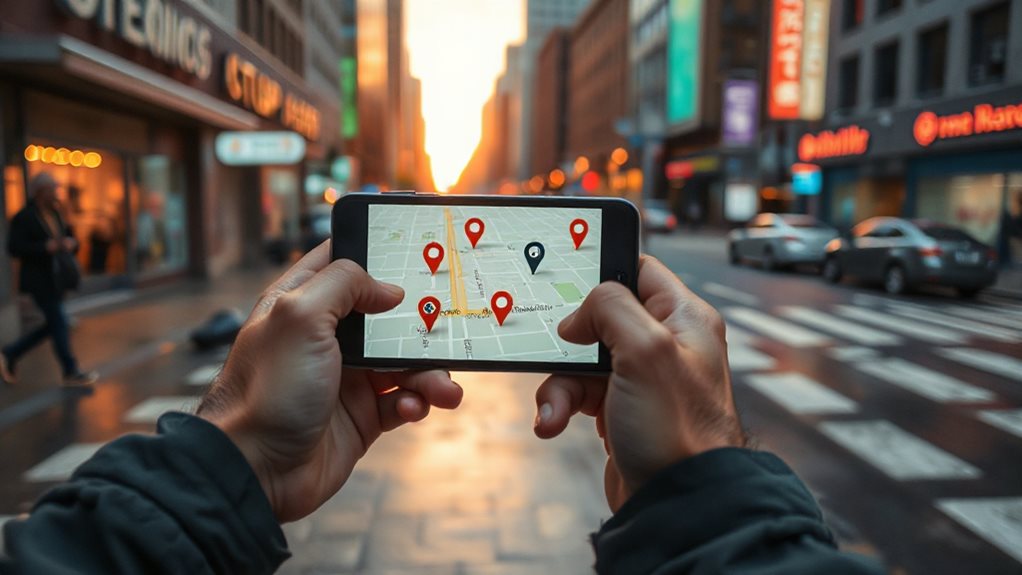
While citations and backlinks establish your local foundation, some businesses still get tempted by the perceived shortcut of renting a virtual office address. That directly violates Google’s guidelines and risks your entire profile being suspended. I’ve seen it happen.
This service-area strategy keeps you compliant while allowing you to target multiple regions explicitly, which Google’s algorithm actually prioritizes over a dubious, nearby pin on a map.
3 Common Pitfalls That Get Virtual Businesses Flagged by Google
Even if you think you’re cleverly gaming the system, the most common pitfalls that get virtual businesses flagged by Google are surprisingly straightforward—they all boil down to pretending you have a physical location you don’t.
Using fake addresses, virtual offices, or PO boxes violates guidelines requiring a staffed, physical presence.
Google’s verification detects these, leading to swift suspension, permanent review loss, and a notoriously difficult recovery. I’ve seen it happen.
And Finally
You can absolutely rank locally without a physical address; I’ve done it for clients for years. Perfect that service-area Google Business Profile, create targeted location pages on your site, and build genuine local links. Forget rented addresses—they’ll get you suspended. It’s more work upfront, but it’s stable and compliant. Focus on serving real customers in real areas, and Google will eventually catch on. It’s that straightforward.

