You create a location page when you’ve got a real address, signed lease, and search volume to justify it—ideally 2–3 months before opening. Skip it if you’re just serving an area without a physical presence; those templated pages waste time and hurt SEO. I’ve seen businesses tank their local rankings with duplicate content from placeholder pages. Wait for verifiable facts, not hope. Get the details right, and you’ll build trust—and traffic—early. There’s more to get right than just timing.
TLDR
- Create a location page only when you have a verified address, signed lease, and confirmed opening timeline.
- Avoid pages for cities you serve without a physical presence to prevent credibility and SEO issues.
- Launch location pages 2–3 months before opening to maximize organic visibility at launch.
- Skip pages in areas with fewer than 10 monthly local searches to avoid thin content.
- Use unique, locally relevant content instead of templated copy to differentiate pages and boost rankings.
Do You Need a Physical Location for a Location Page?

While Google won’t hand you a ranking just for showing up, having a real physical location definitely gives you a leg up in local search—especially when you’re up against competitors in tight markets.
I’ve seen businesses waste time claiming service areas as if Google’s fooled by wishful thinking. A legitimate address, complete NAP, and embedded map prove you’re actually there—something algorithms, and customers, can verify. This level of verifiable presence strengthens local relevance and supports Distance: include contact info, store photos, and branch-specific reviews to prove physical proximity. Creating unique, city-specific pages with clear on-page signals and internal linking can further prevent duplicate-content penalties and improve local visibility city pages.
How Search Volume Determines When to Launch a Location Page
You don’t need a PhD in SEO to know that high search volume is a strong signal to launch a location page—when people are actively searching for services like “dentist in Austin” or “plumber near me,” and you’re not showing up, you’re leaving money on the table.
I’ve seen too many businesses waste time creating pages for towns where almost no one is searching, hoping Google will magically create demand (spoiler: it won’t). Focus on real volume from nearby areas—use Ahrefs or Search Console to confirm traffic potential—and if the numbers aren’t there, hold off; a page without visitors isn’t a page worth having. One landing page per city is recommended only when each location generates sufficient traffic or leads, as unique copy, offers, and CTAs are required to avoid SEO penalties and ensure effectiveness. Also consider consolidating nearby low-volume areas into a single service-area page to avoid thin, duplicate content.
High Search Volume Triggers
Often, the clearest signal to launch a new location page isn’t a hunch or a competitor’s move—it’s the numbers staring you in the face from your keyword tool.
When searches for “dentist in [City]” or “pizza near [Neighborhood]” hit consistent volume, it’s not just demand—it’s intent.
I’ve seen pages rank fast in low-competition cities simply because someone finally showed up with the right content.
Low Volume Means Wait
Just because you can create a location page doesn’t mean you should—and if the local search volume’s hovering near zero, hitting publish is less strategy and more wishful thinking.
I’ve seen too many pages built on hope, not data. Use Keyword Planner or Semrush to confirm at least 10 monthly local searches. Below that? Wait. No volume means no traffic, and no traffic means wasted effort. Trust the tools, not hunches.
What Keywords Should Guide Your Location Page Strategy?

Diving into keyword research for location pages means skipping the fluff and going straight for what actually pulls in local traffic.
You’ll want geo-modified terms like “teeth whitening Chicago” and hyperlocal long-tail variants such as “downtown Portland bridal consultation.”
I target keywords with solid search volume and low-to-medium competition (PKD under 49%).
Avoid “near me” overload—be specific, not lazy.
Faster discovery comes from using AI-assisted workflows to identify low-competition keywords that balance search volume and ranking difficulty.
What Makes a High-Converting Location Page?
You keep your NAP consistent across every page because mismatched details kill trust faster than a fake-looking stock photo of a “local” team that clearly wasn’t taken within 50 miles of your city.
I make sure each location page has unique content—real photos, neighborhood references, and service-specific details—because Google spots copy-paste jobs about as fast as a customer notices a “Free Consultation” button that leads to a 12-field form.
And yeah, your page better work smoothly on mobile, not just load fast but feel easy to tap and read, because 61% of local searches happen on phones, not desktops tucked in some back-office corner.
For multi-location businesses, sometimes it’s better to use centralized pages with local signals rather than creating dozens of thin individual pages that dilute authority.
Local NAP Consistency
While search engines have gotten smarter, they still rely heavily on consistency to trust your business information—so if your name, address, and phone number (NAP) don’t match across directories, Google’s likely to hesitate before ranking you in the local pack.
I’ve seen firms lose visibility just because their suite number was “Suite 200” in one place and “Ste 200” in another. Match formatting exactly, use Google Business Profile as your source of truth, and audit regularly—tiny mismatches cause real ranking drops.
Unique Content Elements
When done right, a location page doesn’t just list an address—it sells the local experience, and that starts with content that actually converts.
I’ve seen pages with concise, benefit-focused copy outperform fluff every time. Use testimonials, local photos, and a clear CTA.
Skip the jargon. Speak plainly. And no, stuffing keywords near a zip code won’t fool Google—or customers.
Mobile Optimization Essentials
More often than not, a high-converting location page lives or dies by its mobile performance—because that’s where your customers actually are. You need fast loading, responsive design, and clear calls to action.
I’ve seen sites lose 40% of visitors just from slow pages or broken taps. Make it easy to call, locate, or find you—otherwise, you’re handing business to competitors who did.
How Schema Markup Boosts Local Search Rankings
Get your business seen where it matters—right at the top of local search results—by giving Google the structured data it actually wants to read.
I’ve seen schema increase CTR by 40% and increase user time on page. When you mark up your location pages with LocalBusiness schema, you’re not just guessing—you’re telling Google exactly who, where, and why you are.
When to Launch a Location Page for Maximum Impact

While Google can’t read your mind—much as we’d all like that superpower—you can come pretty close by launching location pages ahead of the curve, not after the grand opening balloons have already deflated.
I’ve seen it too often: businesses wait, then wonder why they’re invisible. Go live 2–3 months early, mid-week, with full SEO, contact details, and local keywords. That’s how you own “best [service] in [city]” from day one.
How Franchise Expansions Affect Location Page Timing
You’re launching a new franchise, and yes, you should build the location page early—ideally during the lease-signing phase, not after the grand opening.
I’ve seen teams wait too long, thinking SEO can catch up post-launch, but organic traction doesn’t work on a last-minute sprint.
Start crafting your city-specific content, keyword strategy, and local assets 4–6 months ahead, so you’re not scrambling while the construction crew finishes the walls.
Franchise Launch Countdown
About six months before your franchise opens its doors, the real work behind the scenes begins—and that’s exactly when you should start thinking about your location page.
I’ve seen clients rush this, launching pages too early with placeholder content that hurts credibility. Wait until site selection, market validation, and lease agreements are locked. That way, your page isn’t just live—it’s accurate, strategic, and ready to convert.
Location Page Prerequisites
Once you’ve locked in the right spot—visible, accessible, and legally cleared—you’re not just ready to break ground; you’re ready to build a location page that actually converts.
I’ve seen clients launch pages too early, only to scramble when permits stall. Wait for signed leases, approved zoning, and confirmed timelines. That way, your page isn’t a placeholder—it’s a promise backed by real progress, not optimism.
How Duplicate Content Hurts Local SEO

Let’s pull back the curtain on duplicate content—because while Google won’t slap you with a penalty for it unless you’re deliberately gaming the system, the real damage happens quietly, behind the scenes.
You’re splitting link equity, confusing crawlers, and diluting rankings across identical pages.
Local SEO suffers when multiple locations repeat the same content.
I’ve seen clients lose 20% organic traffic this way.
Fix it with canonical tags or consolidation—your preferred page will finally rank.
When to Skip a Location Page: and What to Use Instead
While not every business needs a dedicated location page, you’re probably overcomplicating things if you’re building them for every city you serve without a physical presence. I’ve seen clients waste months on thin location pages that just diluted their SEO.
Instead, embed service-area content directly into your site—target cities in headers, reviews, and meta tags. Use Google Local with home-address verification, and feed Apple Maps, Bing, and Yelp. It’s leaner, avoids duplicate content, and ranks better.
Why Every Location Page Needs Unique, Local Content
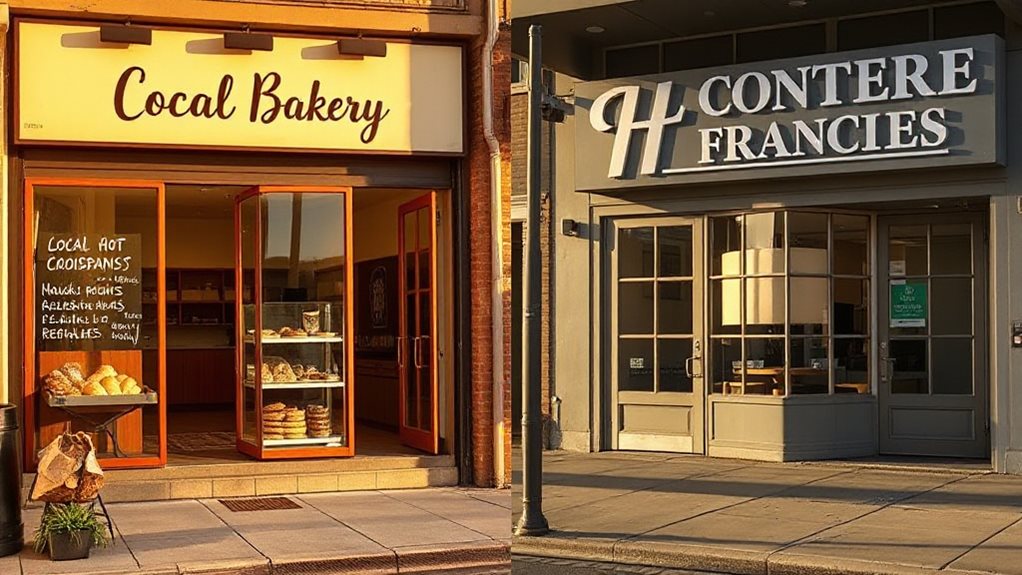
Ever wonder why your location pages aren’t moving the needle in local search? I’ve seen it too many times—templated content with just the city name swapped.
That’s not enough. Google needs real differentiation: unique staff bios, local inventory, or community involvement. Duplicate content kills visibility and trust.
Build pages that answer *specific* user questions. It’s not lazy SEO—it’s practical, effective work.
And Finally
I’ve seen too many businesses waste time on location pages they don’t need. If search volume is thin or you lack a real physical presence, skip the page—Google sees through fluff. When you do launch one, make it unique, locally relevant, and packed with proper schema. Duplicate content won’t cut it. I’d rather have three strong location pages than ten weak ones. You’ll rank better, convert more, and avoid SEO headaches. Keep it real, keep it useful.


