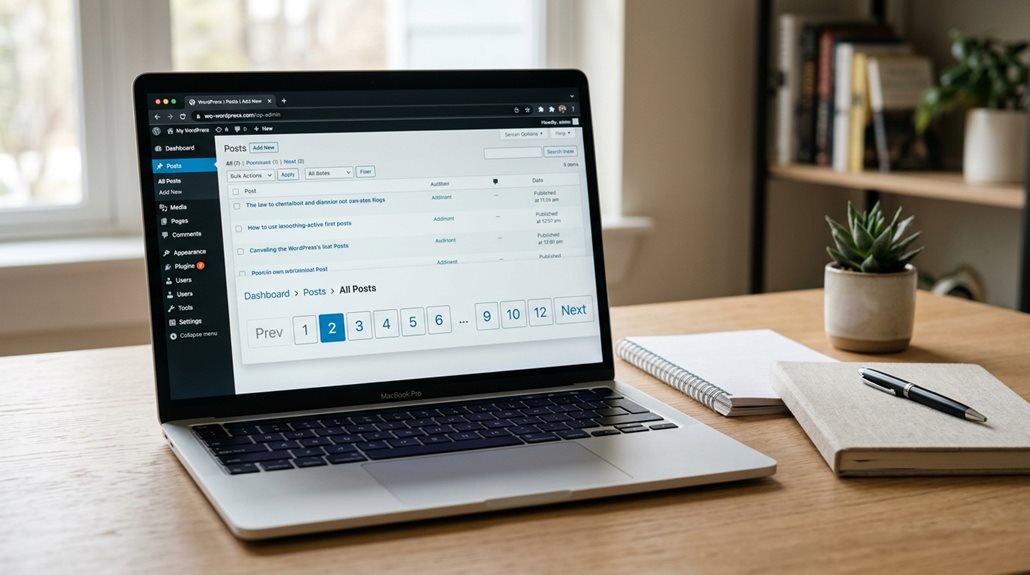
Pagination SEO in WordPress: What You Need to Know
You need crawlable anchor links, not rel=”next/prev” tags—Google ignores those, though Bing still uses them. Build self-referencing canonicals on every paginated URL, use clean paths like /page/2/, and give pages 2+ actual indexable content beyond navigation loops. I see sites burn crawl budget on orphaned pagination because they relied on JavaScript or fragments; fix that and you’ll stop wasting Google’s attention. The mechanics that separate working pagination from invisible pages are simpler than most guides suggest.
TLDR
- Use crawlable anchor links with full URLs in href attributes, avoiding JavaScript-only or fragment-based pagination.
- Implement self-referencing canonicals on every paginated page, never canonicalizing all pages to the first.
- Maintain unique, descriptive titles like “Products | Page 2” to prevent duplicate content issues across pagination.
- Add substantive indexable content to page 2+ beyond navigation links to signal value and preserve crawl priority.
- Leverage SEO plugins like Yoast or AIOSEO to automate rel tags, canonicals, and title formatting automatically.
Why Pagination SEO Matters for WordPress Sites

Why does pagination deserve your attention when you’re already juggling a dozen other SEO priorities? Because I’ve watched too many WordPress sites hemorrhage traffic over broken pagination setups.
You’re splitting content into digestible chunks, sure—but you’re also sculpting crawl paths, preserving link equity, and signaling engagement to search engines. It’s technical housekeeping that quietly compounds your rankings. Ignore it, and you’re leaving money on the table.
Research from WordLift’s experiments with Windows Report demonstrates that smart pagination can boost page rankings by approximately 4% while simultaneously improving session duration and pages per session—turning your pagination strategy from an afterthought into a measurable growth lever. A clear method for distinguishing algorithm effects from routine fluctuations helps determine whether pagination changes or broader Google updates caused traffic shifts.
How WordPress Pagination Appears in Google’s Crawler
You can’t fix what you don’t understand, and most WordPress site owners I’ve worked with have a fuzzy picture of how Google actually consumes their pagination.
Here’s what I’ve learned from watching crawlers hit client sites: Googlebot follows visible anchor links in `` tags, not `rel=”next/prev”` attributes sitting orphaned in your header. I’ve seen pagination URLs languish uncrawled for weeks until someone added proper clickable links—then Google pounced within days, even on low-authority pages. Controlled experiments confirm that URLs referenced exclusively through `rel=”next/prev”` tags remain completely ignored by Googlebot, regardless of how long they remain in the page head.
Your `/page/1466` archives? They’re getting hammered while humans never touch them. The crawler finds patterns it recognises, then keeps drilling. Make your links obvious, sequential, and cleanly formatted. Skip the JavaScript tricks; Google won’t click your “load more” button no matter how elegantly you’ve coded it. Also ensure you have proper URL mapping in place during migrations to preserve crawlability.
Build Crawlable Pagination Links Search Engines Follow
You need proper anchor tags with complete URLs in your `href` attributes—none of that `#page=2` fragment nonsense Google ignores entirely.
I’ve seen too many sites sabotage their crawlability with JavaScript-only pagination or broken relative links that search engines simply can’t follow.
Get the basics right, and you’re already ahead of half the WordPress installs I’ve audited.
Also, use ChatGPT as part of an SEO workflow to generate and refine crawlable pagination link structures and avoid common pitfalls.
Anchor Tag Requirements
Although pagination might seem like a straightforward technical detail, I’ve seen too many sites sabotage their own crawlability by treating anchor tags as an afterthought. You need proper opening and closing `` tags with functioning `href` attributes—full or relative URLs work fine. Without these, search engines can’t follow your pagination, and tools like Screaming Frog will flag it immediately. I’ve watched Yoast SEO occasionally strip these out, so always verify your markup manually. Descriptive anchor text beats generic “Next” labels every time.
Full URL Implementation
Once your anchor tags are solid, the next layer is making sure search engines can actually follow where those links lead. You need unique, full URLs for every paginated page—think `/page/2/` rather than parameters like `?page=2`.
I always self-canonicalize each URL to itself; I’ve seen too many sites accidentally canonicalize deeper pages to the first, effectively telling Google to ignore their content. Clean paths, proper structure, no shortcuts.
Avoid Fragment Identifiers
Why do some paginated series never show up in search results, even when the content’s solid? I’ve seen this repeatedly: someone uses `#page2` in their WordPress pagination, thinking it creates distinct URLs. It doesn’t. Google ignores everything after the hash, so your paginated content becomes invisible.
Use `?page=2` or `/page/2/` instead—actual crawlable URLs that index properly. Skip the fragment gimmicks.
Add Self-Referencing Canonicals to Every Paginated URL
You need to add self-referencing canonical tags to every paginated URL, not point them all back to your first page like some outdated guides still suggest. I’ve seen too many sites tank their crawl budget because every `/page/2/`, `/page/3/` and beyond was canonicalizing to the root, effectively telling Google those pages didn’t exist. Each paginated page gets its own canonical pointing to itself—it’s straightforward, it’s what Google explicitly recommends now, and it prevents the duplicate content headaches that used to plague WordPress pagination. Using a headless setup requires extra care for crawl budget and proper server-side rendering to ensure search engines can access and index paginated content.
Why Self-Referencing Matters
When you’re managing paginated archives in WordPress, it’s easy to assume search engines will simply figure out which URL deserves priority—though experience has taught me that’s a costly assumption. Without self-referencing canonicals, you’re inviting Google to play guessing games with your pagination, often selecting page 2 as your canonical while your main archive languishes.
I’ve seen sites hemorrhage traffic because their paginated series lacked this fundamental signal. You’re essentially telling search engines: “This exact URL is the authoritative version, full stop.” It prevents parameter-generated duplicates from diluting your ranking potential and stops overlapping tag or category content from cannibalizing itself.
Think of it as staking your claim before someone else does.
Implementation Best Practices
How exactly do you implement self-referencing canonicals without turning your WordPress site into a configuration nightmare? I’ve found that quality SEO plugins handle this automatically, though manual implementation means adding to each paginated page’s head section. Ensure your URLs stay clean, avoiding fragment identifiers search engines ignore. Pair this with unique meta titles, and you’ve covered the essentials that actually matter.
Generate Unique Meta Titles for Hundreds of Pages
Managing pagination across dozens or hundreds of pages is where I’ve seen even seasoned marketers quietly lose their grip on SEO fundamentals.
You’ll want to avoid duplicate titles—search engines simply won’t rank them properly. Use SEOPress to set unique templates with variables like page numbers, and keep each under 55 characters.
It’s tedious work, but the alternative is invisible pages nobody finds.
Should You Still Use Rel Prev and Next in 2024?

You’ve probably noticed rel=prev/next still sitting in your WordPress theme’s code, quietly doing nothing for Google since 2019.
I removed them from most client sites years ago, though Bing still reads these signals and some accessibility tools appreciate the hint.
Before you purge them entirely, you’ll want to understand where they actually matter and where they’re just digital clutter wasting your developers’ time.
Google’s Official Stance
Although Google officially retired rel=”next” and rel=”prev” back in March 2019, I’m still fielding questions about whether you should rip these tags out of your WordPress site in 2024.
You don’t need to. Google admits these tags stopped working years before they bothered telling anyone, and removing them now won’t help or hurt your rankings. I leave them in place because Bing still uses them, and you’ve already done the work.
Focus instead on making each paginated page stand on its own with solid internal linking and, where practical, a well-structured view-all page users actually prefer.
Bing’s Continued Support
Why would you tear out code that’s still doing honest work?
Bing actively uses `rel=”next”` and `rel=”prev”` for pagination discovery, and I’ve seen sites maintain solid rankings there simply by keeping these tags intact. Pair them with self-referencing canonicals, and you’ve got clean, multi-engine coverage without lifting a finger. Google’s deprecation doesn’t erase real functionality elsewhere—pragmatism beats purging every time.
Implementation Best Practices
Most sites I’ve audited get pagination wrong in depressingly similar ways, so let’s walk through what actually holds up in 2024. You’ll want self-referencing canonicals on every page—yes, even page 47. Google ignores rel prev/next now, but Bing doesn’t, so I still implement both. Use crawlable `` links, not JavaScript tricks or fragment identifiers. Skip the “view all” canonicalization; it’s a relic that confuses crawlers. Structure URLs cleanly with parameters, and for heaven’s sake, don’t index your filtered sorts. Unique titles matter—”Products | Page 2″ beats duplicate descriptions every time. I typically de-optimize deeper pages, stripping unique content past page one to preserve crawl budget where it counts.
Choose SEO-Friendly URL Structures for Pagination

Where exactly does your pagination reside in the URL structure, and why does Google care so much about it? I’ve watched too many sites sabotage themselves with fragment-based pagination—those #page2 URLs that Google cheerfully ignores. You’re essentially hiding content from crawlers.
Stick to query parameters (?page=2) or page-based structures (/page/2/). Both give unique, indexable URLs with self-referencing canonicals. WordPress handles this natively; plugins like Yoast automate the setup. Fragments belong in the past, alongside other SEO dead ends.
Let Yoast Handle Pagination Automatically (or Override It)
Since you’ve already sorted your URL structure, the next logical step is letting Yoast SEO handle the technical heavy lifting—and fortunately, it does most of the work without you lifting a finger. It automatically adds rel=”next” and rel=”prev” tags, sets self-referential canonicals on paginated pages, and prevents duplicate content headaches.
Google may ignore these tags now, but Bing still cares, so Yoast keeps them anyway. You can override defaults through filters like wpseo_prev_rel_link if your theme uses custom pagination, though I’ve found most sites never need to bother.
AIOSEO’s Shortcut: Automatic “+ Page 2” Titles
Why wrestle with manual title tags when AIOSEO’s already solved this headache for you? The plugin automatically appends “Page” plus the number to your titles and meta descriptions, so your paginated content stays unique without lifting a finger. I’ve seen too many sites tank rankings from duplicate archive pages—this quietly prevents that.
You’ll find the controls under Search Appearance > Advanced, though honestly, the defaults work fine for most setups. Three million users can’t all be wrong.
Fill Pages 2+ With Indexable Content (Not Just Links)
Automated title tags solve one piece of the puzzle, but you’re still left with pages that look like link graveyards to Google.
I’ve seen too many sites where pages 2+ contain nothing but navigation links—thin content that crawlers rightly deprioritize.
Instead, add substantive material: unique intros, contextual images with descriptive alt-text, and brief explanatory paragraphs.
This signals genuine value, not pagination padding.
Fix Pagination Mistakes That Waste Crawl Budget
How often do you check how Google actually spends its crawl budget on your site? I see WordPress sites bleeding resources daily through endless pagination, thin archive pages, and ignored server timeouts.
You fix this by consolidating parameters, indexing only valuable paginated content, and speeding up response times. Stop letting page 847 of your product list steal attention from pages that actually convert.
And Finally
You’ve now got a complete roadmap for handling pagination without the usual headaches. I’ve seen too many sites hemorrhage crawl budget on infinite scroll disasters, or slap “noindex” on page 2 and wonder why their internal linking evaporated. The fixes aren’t glamorous, but they work: crawlable links, proper canonicals, unique titles, and actual content beyond just product grids. Implement these fundamentals, monitor your log files, and you’ll stop leaving search equity stranded on orphaned pages.