Best Site Audit Tools for Finding Technical SEO Problems
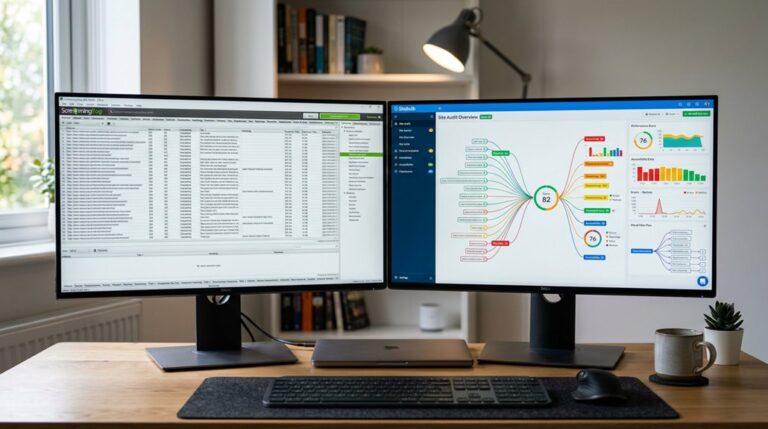
When it comes to finding technical SEO problems, your best bet is to use a site audit tool that offers thorough crawling, like Screaming Frog or Semrush. These tools identify crawl errors, broken links, duplicate content, and page speed issues—things that quietly tank your rankings. They score issues by severity, helping you prioritize fixes. Avoid tools that only scratch the surface or have confusing interfaces. Keep in mind, becoming proficient with the right tool can save you hours and headaches—if you stay tuned, you’ll uncover more practical tips.
TLDR
- Look for tools that perform comprehensive crawling to identify crawl errors, broken links, and duplicate content efficiently.
- Prioritize platforms offering automated, high-impact SEO issue detection with clear visualization and severity scoring.
- Choose tools that integrate with Google Search Console and provide actionable insights for technical fixes.
- Select tools capable of handling your website size and complexity, from small sites to large, detailed domains.
- Ensure regular audit features to monitor site health, track improvements, and adapt to search engine algorithm changes.
Find and Fix Your Website’s Critical SEO Problems With the Right Tools
Finding and fixing your website’s critical SEO problems isn’t something you can afford to ignore, especially if you want to stay competitive. Using the right site audit tools helps identify technical issues like crawl errors, broken links, and duplicate content that hurt your site’s health. A comparison of top site crawlers reveals differences in crawl speed, reporting, and ease of use, which can significantly impact your ability to perform effective audits. Automated audits prioritize high-impact SEO problems, enabling you to fix performance issues before they drag down your rankings. Incorporating automated internal linking strategies with these tools can further enhance your site’s crawlability and user experience.
How Do Site Audit Tools Detect and Prioritize Technical SEO Issues?
Site audit tools detect and prioritize technical SEO issues through thorough crawling, analysis, and scoring. They identify crawl errors, broken links, and performance problems. Additionally, they help avoid outdated SEO advice that can be counterproductive or harmful. Then, they assign severity scores based on impact and fixability. Using issue visualization and automated audits, these tools help you focus on high-priority problems. This process often involves comprehensive SEO audits, which provide a detailed overview of your site’s health and ensure your SEO health improves efficiently without chasing false alarms or wasting time on minor glitches.
Compare the Best SEO Audit Platforms: Features, Pros, and Cons
Choosing the right SEO audit platform can streamline your technical SEO analysis, improve site health, and prioritize fixes efficiently. Platforms like Ahrefs, Semrush, and Screaming Frog excel in crawl errors, backlink analysis, and page speed understanding. Additionally, understanding how to address structured data errors in Search Console can significantly enhance your site’s visibility and click-through rates. The speed at which these tools provide actionable insights can vary based on factors that affect speed of impact, so selecting a platform that aligns with your site’s needs is crucial. Each offers unique features—visual reports, detailed site health, customizable audits—though costs and learning curves vary. An audit tools comparison helps you find the best fit for your website’s performance and search engine optimization goals.
How to Choose the Best SEO Audit Tool for Your Website’s Needs

When choosing an SEO audit tool, start by honestly evaluating your website’s size, complexity, and specific technical challenges—there’s no point in paying for features you’ll never use. Match the tool’s capabilities to your needs, whether that’s basic crawl analysis or comprehensive technical diagnostics. Consider how well it integrates with platforms like Google Search Console or Data Studio. Additionally, understanding common Google Search Console errors can help you interpret the issues the tool uncovers more effectively.
Assess Your Technical Needs
Understanding your website’s size and complexity is the first step in selecting the right SEO audit tool.
For large sites, all-inclusive tools like Screaming Frog are essential.
While small sites may only need Google Search Console.
Consider your technical proficiency, monitoring features, and site size to find tools that address your website health, automation needs, and budget without drowning in unnecessary options.
Match Tool Features
Matching the right SEO audit tool to your website’s needs requires a close look at its features, not just its price tag or brand reputation.
Make certain it offers thorough crawling, like crawling up to 170,000 URLs per minute, for full site coverage.
Prioritize visualization features and actionable findings to interpret site health and technical SEO issues efficiently.
Check for automation and scheduled audits to catch crawl errors, site speed, and structured data issues early.
Use Site Audits to Fix SEO Errors and Improve Your Rankings

Site audits are your best line of defense against hidden SEO issues lurking beneath your website’s surface. They help identify SEO errors like crawl errors, broken links, and duplicate content, which can harm your search rankings.
Fixing these issues improves on-page SEO, enhances organic traffic, and maintains website health. Using trusted SEO tools guarantees you address high-impact issues efficiently, preventing small problems from snowballing.
Why Regular SEO Audits Help Maintain Long-Term Site Performance
Regular SEO audits catch technical issues before they snowball into serious problems, saving you time and lost traffic down the line.
By tracking your progress over time, you can make informed adjustments rather than guessing what works.
Staying aligned with search engine algorithms guarantees your site remains visible, instead of relying on outdated tactics that no longer cut it.
Detects Issues Early
Catching issues early is the secret to keeping your website performing steadily over time, yet many overlook this essential step. Regular website audits help identify technical SEO issues like crawl errors, broken links, and duplicate content—before they snowball.
- Detect technical errors that harm site health
- Identify crawl errors impacting indexing
- Find broken links that frustrate visitors and search engines
Tracks Progress Over Time
Tracking progress over time is vital because SEO isn’t a one-and-done task; it’s an ongoing process that requires constant attention. Regular site audit and scheduled audits help monitor SEO progress, technical SEO, and website health. Use audit tracking and performance metrics to identify crawl errors and measure long-term SEO success.
| Key Aspect | Benefit |
|---|---|
| Crawl errors | Prevent ranking drops |
| Performance metrics | Track improvements in site health |
| Scheduled audits | Guarantee ongoing optimization |
Ensures Search Visibility
Maintaining search visibility isn’t a set-it-and-forget-it task; it requires consistent attention to guarantee your site remains optimized for search engines. Regular site audits help identify crawl errors, slow page speeds, and on-page SEO issues.
They also support backlink analysis and monitor website health, ensuring your SEO score stays strong and your search visibility endures over time.
Future Trends in SEO Tools and Site Auditing
As SEO tools evolve, the next wave of innovation will heavily rely on AI-driven automation, real-time data, and machine learning for smarter understanding.
You’ll see enhanced focus on structured data validation, mobile-first indexing, and accessibility.
Voice search, backlink profiles, and crawl errors will integrate into all-encompassing platforms, helping you stay ahead by addressing issues proactively and adapting to search engine updates efficiently.
And Finally
Regular site audits are essential to keep your website technically sound and competitive. The right tools help you identify issues before they snowball into ranking drops or user experience problems. Focus on practical, proven features—crawl depth, error detection, mobile responsiveness—and avoid shiny but ineffective gimmicks. Remember, no tool replaces your judgment, so interpret results critically and prioritize fixes based on impact. Keep auditing, stay pragmatic, and your site will stay healthy—no magic required.