For a reliable, easy-to-implement schema markup plugin for WordPress, I recommend Schema Pro. It’s designed for site owners who value precision and automation, supporting over 20 schema types and allowing customization without writing a line of code. Its validation and preview tools help you avoid common errors that can hurt your search presence. While others may promise the world, Schema Pro offers a practical balance of features and stability — perfect for if you want to get it right the first time.
TLDR
- Support for multiple schema types and easy customization without coding are essential features.
- Compatibility with popular SEO plugins like Yoast SEO enhances seamless integration.
- Validation tools help ensure schema accuracy and compliance with search engine guidelines.
- Automation capabilities reduce manual effort and help keep rich snippets up-to-date.
- User-friendly interfaces and positive community reviews indicate reliable, ongoing support.
What Is Schema Markup and Why Is It Important for WordPress?

Have you ever wondered why some search results catch your eye more than others? That’s where schema markup comes in. It’s a type of structured data that helps search engines understand your WordPress site better. Incorporating brand search volume signals can also enhance how your site is perceived, making your listings more trustworthy. Proper schema enhances WordPress SEO and can increase click-through rates considerably. Using AI tools to generate structured schema markup simplifies the process and ensures your site is properly optimized for search engines.
How to Choose the Right Schema Plugin for Your WordPress Site
Choosing the right schema plugin might seem straightforward—after all, there are plenty of options out there—but making a well-informed decision requires attention to specific features and your site’s unique needs.
- Support for relevant schema types
- User-friendly interface and setup process
- Compatibility with existing WordPress SEO tools
- Validation features for schema correctness
- Reliable updates and community reviews
Additionally, considering how a plugin integrates with Safe AI Strategies for Local SEO Automation, such as avoiding spam filters and penalties, can help ensure your schema implementation remains both effective and compliant. Being aware of sudden drops in Google rankings caused by technical or content issues can help you choose a plugin that minimizes the risk of unintended problems.
Key Features to Look for in a WordPress Schema Plugin
When evaluating schema plugins, it’s important to focus on features that streamline your workflow and guarantee accuracy. Look for support of over 20 schema types, an intuitive interface, and automatic schema generation. Validation tools and compatibility with SEO plugins like Yoast SEO are essential. Here’s a quick overview:
| Feature | Benefit | Why It Matters |
|---|---|---|
| Multiple schema types | Covers various content formats | Ensures thorough structured data |
| User-friendly interface | Easy setup and customization | Saves time and reduces errors |
| Validation tools | Verifies schema correctness | Prevents Google penalties |
| Compatibility | Integrates with popular SEO plugins | Enhances overall SEO performance |
| Auto-generation | Automates schema placement | Maintains consistency |
Additionally, choosing a plugin that offers automatic schema generation can significantly reduce manual effort and ensure your structured data remains up-to-date. Incorporating comprehensive support for schema types can further enhance your site’s visibility in search results.
Compare the Best WordPress Schema Plugins by Features and Value
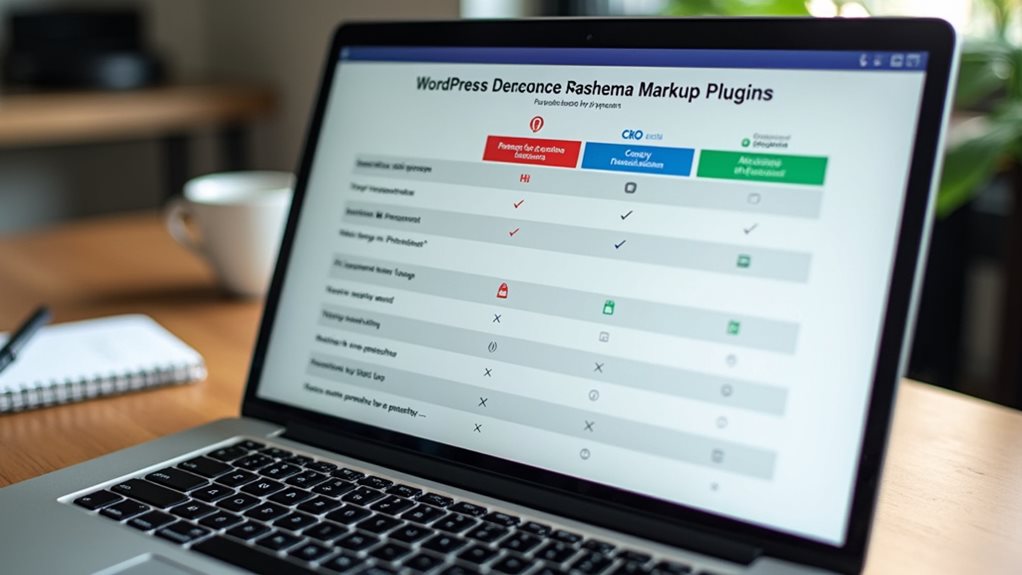
Comparing the top WordPress schema plugins reveals clear differences in features, ease of use, and overall value—crucial factors when choosing the right tool for your site’s structured data and SEO. Upgrading your hosting environment, such as moving from shared hosting to a VPS, can also impact your site’s speed and uptime, which are important for SEO performance and user experience.
- Schema Pro offers automation for large sites with over 20 schema types.
- AIOSEO combines extensive SEO and schema support for beginners.
- WP Review Pro excels in review schemas with customizable templates.
- Schema App handles complex, interconnected schemas for e-commerce.
- WP SEO Schema provides a free, straightforward solution.
How Schema Pro Simplifies Schema Setup Without Coding
Schema Pro’s intuitive interface makes setting up schema markup straightforward, even if you’re not a coder—no need to wrestle with confusing code snippets or hire a developer.
Its automation features guarantee schema is applied consistently across your site, saving you hours and eliminating manual errors that often trip up less user-friendly tools.
With simple field mapping and real-time testing, you can confidently implement diverse schema types without the usual guesswork or technical headaches.
User-Friendly Interface Design
Charting schema setup can feel like deciphering a foreign language, especially if you’re not a coder, but Schema Pro’s interface makes it remarkably straightforward. Its user interface simplifies schema setup through a three-step wizard, drag-and-drop tools, and visual mapping.
- Clear, organized layout
- Easy configuration without coding
- Guided schema type selection
- Content mapping made simple
- Full site management with minimal effort
Automated Schema Application
Automating schema markup across an entire website might sound like a technical nightmare, but Schema Pro makes it straightforward—no coding required.
Its automatic schema feature utilizes bulk configuration and schema automation, assigning relevant schema types based on content, such as articles or products.
This reduces setup time and guarantees consistent schema application across your site, saving you from manual editing and potential errors.
Customization Without Coding
While automating schema across your website saves time and guarantees consistency, customizing that schema to fit specific pages or content types can seem intimidating—unless you have the right tools.
Schema Pro simplifies structured data setup with no coding required, allowing you to:
- Select schema types easily
- Map content fields effortlessly
- Create default templates
- Override schemas on specific pages
- Preview changes in real-time
Step-by-Step Guide to Setting Up Schema Markup in WordPress
Getting schema markup set up in WordPress might seem intimidating at first, but with a clear, step-by-step approach, it becomes quite manageable—even for non-coders.
Choose a reputable plugin like Schema Pro, install and activate it, then access its setup page. Select your schema types, map your content fields, and test your pages with Google’s Rich Results Test to confirm proper WordPress setup and rich results.
How to Test and Validate Your Schema Markup Effectively

Once you’ve set up your schema markup in WordPress, the next step is verifying that it’s correctly implemented and recognized by search engines. Use tools like Google’s Rich Results Test and Bing’s Markup Validator for schema validation and structured data testing.
- Check for errors or warnings
- Confirm properties and data types
- Re-test after updates
- Review JSON-LD syntax
- Maintain validation regularly to avoid surprises
Common Mistakes When Using Schema Plugins and How to Avoid Them
Using multiple schema plugins at once might seem like a quick fix, but it often results in duplicate markup that confuses search engines rather than helps them.
Always validate schema after implementation to catch errors early. Failing to do so can prevent rich snippets from showing up.
Keep plugins updated and avoid manual schema insertion unless you’re confident in your coding skills.
Advanced Tips for Customizing and Automating Schema Markup
Using custom schema templates and automating schema rules can save you hours of manual work and guarantee consistency across your site, but only if you set them up carefully. I’ve seen many overlook the importance of testing these configurations thoroughly—trust me, Google isn’t forgiving of errors.
When done right, these techniques streamline your SEO efforts without sacrificing accuracy or compliance.
Custom Schema Templates
Have you ever spent hours manually updating schema markup across a large website only to realize you missed a few critical pages?
Custom schema templates let you create reusable, predefined structures, enabling automatic schema application based on post categories, tags, or custom fields.
Use a visual schema editor to fine-tune properties without coding, saving time and ensuring consistency.
Automating Schema Rules
Automating schema rules can dramatically streamline your structured data management, especially if your website spans hundreds or even thousands of pages.
With schema automation, you set conditional rules that apply specific schema types based on URL patterns, categories, or custom fields, enabling flexible schema markup.
This reduces manual effort, minimizes errors, and keeps your rich snippets up to date effortlessly.
Which Schema Plugin Is Best for Your WordPress Site? Final Recommendations
Choosing the right schema plugin for your WordPress site hinges on understanding your specific needs and the complexity of your content.
For beginners, AIOSEO offers user-friendly WordPress schema markup.
Large sites benefit from Schema Pro’s automation.
WP Review Pro excels in review schema.
Consider your site size, schema complexity, and customization needs when selecting a structured data plugin.
And Finally
Choosing the right schema plugin isn’t about chasing the latest shiny feature; it’s about selecting a reliable tool that integrates seamlessly with your site and offers straightforward validation. Trust your experience and focus on what genuinely improves your structured data accuracy—complexity rarely equals better results. Avoid common pitfalls like over-optimizing or neglecting testing. With a disciplined approach and a good plugin, you’ll see tangible SEO benefits without unnecessary headaches.