Best WordPress Hosting for Managing Multiple Sites
The best WordPress hosting for managing multiple sites offers multisite support, scalable resources, and strong security features without unnecessary enterprise extras. Look for providers with easy management tools, automatic backups, advanced caching, and performance optimizations customized for multisite networks. Managed hosts like Kinsta or WP Engine excel here, but if you’re comfortable tweaking, unmanaged options can work too. Paying attention to load times and security measures keeps sites smooth. Keep exploring, and you’ll find out how to keep your network resilient and efficient.
TLDR
- Support for multisite networks with centralized management and easy setup features.
- Robust performance optimization, caching, and scalable server resources for speed.
- Automated backups, security measures, and staging environments to protect and refine sites.
- Effortless management tools and automation features to reduce administrative workload.
- Compatibility with AI integrations for SEO, schema, and local citation management.
What Features Make WordPress Hosting Ideal for Multiple Sites?

When evaluating WordPress hosting for multiple sites, the features that truly matter are those that simplify management while ensuring performance and security across all your websites. Multisite support, centralized management, and easy setup streamline your workflow. Advanced caching, performance optimization, and scalable server resources keep sites fast. Built-in security, automatic backups, and staging environments protect and refine your network efficiently. Additionally, choosing hosting with appropriate sizing ensures you get enough performance without paying for enterprise features you won’t use. To efficiently perform quick SEO checks across your sites, incorporating browser extensions for SEO can save time and provide valuable insights without needing to open full tools.
How to Choose the Best WordPress Hosting for Managing Multiple Sites
Choosing the right WordPress hosting for managing multiple sites requires more than just support for “unlimited” websites. It’s about confirming that the provider offers multisite support, centralized management, and scalable hosting plans. A hosting service that provides effortless management tools can significantly reduce your administrative workload. Make sure they deliver sufficient server resources, automated backups, security features, and performance optimization. Additionally, verifying that the host supports safe AI integration for tasks like meta descriptions, schema markup, and alt text can help improve search visibility without errors. The hosting provider selection should prioritize reliability, flexibility, and features that meet your growth needs.
Top Managed and Unmanaged WordPress Hosts for Multisite Networks in 2026
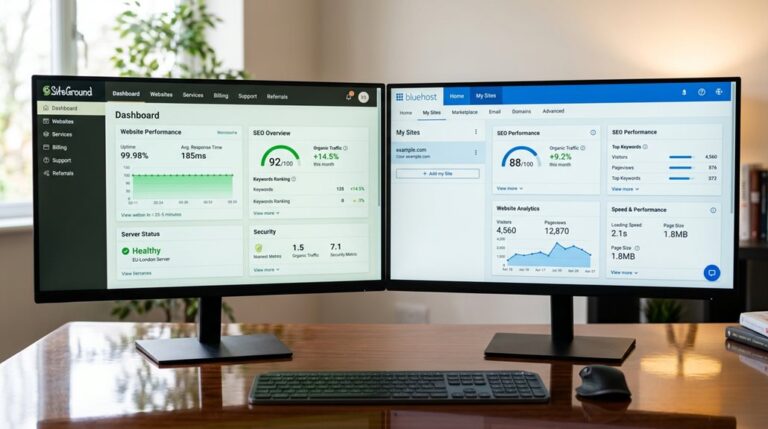
In 2026, the terrain of WordPress hosting for multisite networks is more diverse and subtle than ever, with options spanning managed services like WP Engine, Kinsta, and Pagely, to unmanaged providers such as Bluehost, Hostinger, and DreamHost.
Managed hosting offers optimized performance, support, staging sites, and security for high-traffic multisite networks.
Unmanaged hosting provides flexible scaling and customization for experienced developers managing multiple sites.
Additionally, leveraging automated internal linking tools can enhance site structure and improve search engine rankings across your network. Implementing safe AI strategies for local SEO automation can help manage citations and listings effectively without risking penalties or spam filters.
How to Set Up and Optimize Your WordPress Multisite for Speed and Security
Optimizing your WordPress multisite for speed and security begins with understanding that a well-configured environment is key to maintaining performance across all sites—think of it as setting the foundation for a skyscraper, rather than patching cracks later. Adjust server resources, implement centralized security measures like malware scanning and automatic updates, and integrate CDN and caching strategies for better load times and performance optimization. According to recent rankings, choosing a hosting provider with proven load time performance can significantly enhance your multisite experience.
Common Challenges in Multisite Hosting and How to Overcome Them
Managing a WordPress multisite isn’t just about installing one network and hoping for the best; it’s about steering through a terrain of common pitfalls that can trip you up if you’re not careful.
Multisite hosting challenges include inadequate server resources, poor database configuration, and scaling issues.
Overcome these by implementing performance optimization, advanced caching, and choosing hosts with automatic scaling and uptime reliability.
Final Tips for Scaling and Managing Your WordPress Multisite Network
To keep your multisite network running smoothly as it grows, you need to optimize server resources and implement solid backup strategies—these aren’t things to leave to chance.
Regularly monitoring usage helps you spot bottlenecks before they become outages, and having reliable backups guarantees you won’t lose everything when Murphy shows up unexpectedly.
Optimize Server Resources
Have you ever noticed how a few simple tweaks can turn a sluggish multisite network into a well-oiled machine? To optimize server resources, focus on:
- Adjusting server configuration for better resource allocation
- Implementing caching and CDN for performance optimization
- Monitoring performance metrics regularly
- Planning for scalability with database tuning and traffic handling
These steps guarantee your network remains fast, reliable, and ready for growth.
Implement Effective Backup Strategies
Implementing effective backup strategies is a crucial step that often gets overlooked until disaster strikes, which is the worst time to realize your backups are inadequate or corrupt.
Use backup plugins with automated backups, test backup integrity regularly in a staging environment, and store backups off-site in cloud services.
Scaling storage capacity and performing backup testing guarantees reliable recovery and maintains backup recovery speed.
And Finally
Choosing the right WordPress hosting for multiple sites is about understanding your specific needs—performance, security, scalability—and avoiding common pitfalls like over-optimizing or neglecting backups. Focus on hosts with solid infrastructure, excellent support, and features customized for multisite management. Remember, what works in theory often flops in practice. Stay pragmatic, test thoroughly, and don’t get distracted by shiny bells and whistles. Your network’s stability depends on making well-informed, deliberate choices—not luck.