UpdraftPlus vs BackWPup: Backup Plugins Compared
If you’re deciding between UpdraftPlus and BackWPup, you’ll find that UpdraftPlus offers a more streamlined setup, full and incremental backups, and one-click restore, making it ideal for quick recovery and remote storage support. BackWPup, while flexible with scheduled backups and multiple storage options, requires manual restoration and setup, which can be cumbersome. Understanding these subtleties will help you choose the tool that suits your site’s complexity—stick around for more perspectives that can save you time and stress.
TLDR
- UpdraftPlus offers full, incremental, and one-click restore options, while BackWPup relies on manual restoration via FTP and phpMyAdmin.
- UpdraftPlus supports multiple cloud storage destinations and multisite backups, unlike BackWPup’s limited remote storage options.
- UpdraftPlus provides seamless site migration, cloning, and quick restoration, whereas BackWPup requires manual, multi-step processes.
- UpdraftPlus features a user-friendly interface with simple backup management; BackWPup’s setup and restoration can be more complex.
- Backup scheduling and offsite storage are more integrated and flexible in UpdraftPlus compared to BackWPup’s manual configurations.
Key Backup Features of UpdraftPlus and BackWPup

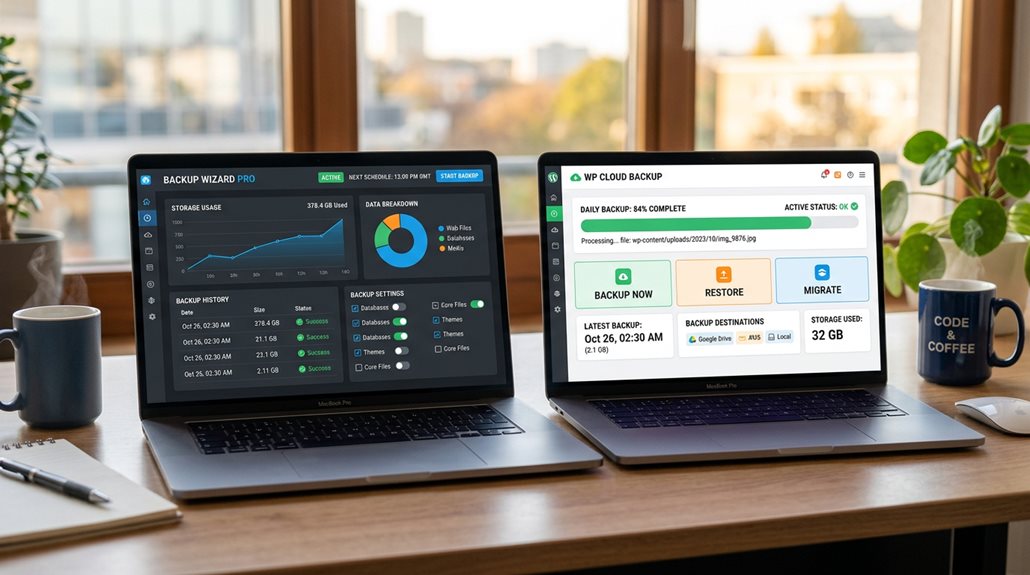
When choosing between UpdraftPlus and BackWPup for your backup needs, understanding their key features is essential, because not all plugins are created equal—especially when it comes to restoring your site quickly and reliably. UpdraftPlus offers full and partial backups, incremental options, and one-click restore, supporting extensive cloud storage. BackWPup provides scheduled backups, multiple storage options, but requires paid plans for restoration. Incorporating site audit tools can help identify vulnerabilities and ensure your backups are comprehensive and effective. Additionally, the ability to perform reliable restores is crucial for minimizing downtime during site recovery.
Comparing Backup and Restore Processes
Understanding how each plugin handles backup and restore processes can save you time and frustration during a site recovery. UpdraftPlus offers a one-click restore within its plugin interface, restoring from remote storage quickly. BackWPup requires manual restoration via FTP and phpMyAdmin, making it more time-consuming. UpdraftPlus organizes backup files into categories for targeted restore, unlike BackWPup’s full site ZIP. Restoration speed varies, with UpdraftPlus’s full site restore being particularly faster. Additionally, considering the realistic timelines for SEO results can help set expectations during downtime or recovery periods. Incorporating safe backup practices ensures your site remains protected during these processes without risking penalties or spam filters.
Storage Options and Remote Backup Capabilities
While both UpdraftPlus and BackWPup support remote storage options, their ease of setup and flexibility differ considerably—something every busy business owner should appreciate. UpdraftPlus offers seamless cloud backups with multiple backup destinations and straightforward configuration, supporting offsite backups and multisite support. BackWPup’s remote options are more limited in the free version, often requiring manual setup and less flexible backup storage choices. To prevent potential issues, understanding Google Business Profile suspension policies can help ensure your backup strategy aligns with best practices. Additionally, leveraging automated internal linking can enhance your site’s crawlability and overall SEO health.
Support for Migration and Cloning

Support for migration and cloning is often overlooked until it’s urgently needed, but the reality is that a smooth transfer process can save you countless hours and headaches.
- UpdraftPlus’s migration features in premium plans enable site transfer and site cloning with minimal fuss.
- BackWPup requires manual migration steps, involving FTP and phpMyAdmin.
- UpdraftClone offers quick, temporary cloning directly on UpdraftPlus servers.
- BackWPup lacks built-in cloning or automated site transfer options, focusing on backups alone.
- Utilizing migration support can help ensure your site retains its rankings and avoids unnecessary downtime during the transfer process.
User Experience and Backup Management
When it comes to managing backups efficiently, the user experience can make or break your confidence in a plugin. UpdraftPlus offers a clean user interface with one-click restore options and streamlined remote storage setup, making backup management straightforward.
In contrast, BackWPup’s multi-step setup and manual restoration process can frustrate, especially when multisite support and backup scheduling aren’t seamlessly integrated into the dashboard.
Best Backup Plugin for Different WordPress Sites
Choosing the best backup plugin depends heavily on your site’s size, complexity, and needs—there’s no one-size-fits-all.
For small or personal WordPress sites, UpdraftPlus offers quick restores, cloud storage, and a user-friendly interface.
Large sites benefit from UpdraftPlus’s premium features like incremental backups.
BackWPup suits those needing manual control but lacks one-click restore in the free version.
And Finally
Choosing between UpdraftPlus and BackWPup hinges on your specific needs—simplicity, extensive features, or remote storage. Both are reliable, but it’s essential to understand their strengths and limitations. Don’t fall for the myth that all backups are equal; test restore processes regularly and verify your storage options. A well-chosen plugin reduces stress, not adds it, so invest time in understanding what works best for your site’s complexity and growth plans.