ShortPixel vs Smush: Image Compression Plugins Compared
If you want a straightforward choice, Smush is quick to set up and ideal for lossless compression on small to medium sites, but it offers limited format support and less aggressive size reduction. ShortPixel, on the other hand, provides advanced AI-driven compression, supporting modern formats like WebP and AVIF, and works well for high-volume or image-heavy sites needing maximum quality and flexibility. To optimize your decision, consider what balance of ease, control, and scale suits your needs—more details ahead will sharpen your focus.
TLDR
- ShortPixel offers advanced compression, supporting formats like WebP and AVIF, with AI-driven algorithms for better quality and smaller file sizes.
- Smush provides quick, easy setup focusing on lossless compression and lazy loading, ideal for simple, on-site optimization.
- ShortPixel supports cloud-based compression with more control, while Smush emphasizes in-site optimization and user-friendly interface.
- ShortPixel’s pricing is flexible and suited for large-scale or high-quality needs, whereas Smush is more affordable for basic, small-scale sites.
- Choose ShortPixel for advanced features and better compression results; opt for Smush for simplicity and rapid implementation.
What Are ShortPixel and Smush, and How Do They Work?

When it comes to optimizing images for your website, understanding how tools like ShortPixel and Smush work can save you time and frustration. These WordPress plugins perform image compression through cloud processing and bulk optimization, supporting formats like JPEG, PNG, GIF, and WebP. ShortPixel offers advanced compression options with lossy and lossless modes, while Smush focuses on easy, in-site optimization and lazy loading. Additionally, both plugins can positively influence your Core Web Vitals by reducing image sizes and improving load times. To ensure compliance and avoid suspension issues, choosing reliable tools that adhere to Google’s guidelines is essential.
Which File Formats Do ShortPixel and Smush Support?
Understanding which image formats your compression tools support can save you headaches later. ShortPixel offers extensive format compatibility, including JPEG, PNG, GIF, WebP, AVIF, HEIC, and PDFs, with format conversion features. Smush Pro supports JPEG, PNG, GIF, and WebP (premium only). Knowing their WebP support and format compatibility helps you choose the right plugin for modern, versatile image needs. To effectively evaluate their capabilities, consider how their SEO progress metrics align with your overall content strategy. Additionally, assessing format support ensures your images remain optimized across various devices and browsers, preventing potential display issues.
How Do Their Compression Technologies and Results Compare?
When comparing compression technologies, it’s clear that not all size reductions are created equal—some tools, like ShortPixel, utilize AI-driven algorithms to squeeze images more effectively without sacrificing quality, unlike basic methods used by Smush. You’ll notice that higher compression rates often translate to faster load times, especially on mobile, but only if the quality holds up; otherwise, you risk alienating visitors with over-compression. Ultimately, understanding the subtleties of format support and the consistency of results helps you choose a plugin that performs reliably in real-world scenarios, not just on paper. Additionally, avoiding AI SEO pitfalls ensures your images remain valuable, readable, and compliant with search engine guidelines. Recognizing the importance of duplicate business listings is crucial, as they can confuse search engines and negatively impact your local SEO efforts.
Compression Effectiveness Comparison
In the world of image compression, the key difference often comes down to how aggressively each plugin reduces file sizes and the resulting visual quality.
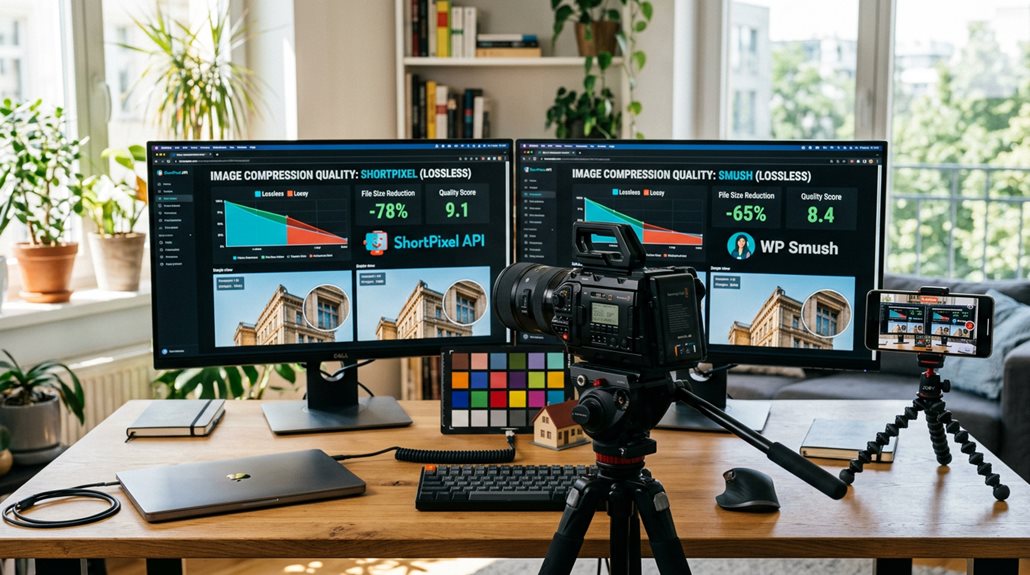
- ShortPixel offers stronger compression, especially for JPEGs, achieving up to 54% file size reduction with advanced formats like WebP and AVIF.
- Smush emphasizes lossless compression, maintaining image quality but with less aggressive file size reduction, excelling in PNG lossy compression.
- Your choice impacts image optimization, WebP conversion, and overall performance, depending on whether you prioritize file size or quality.
Format Support and Quality
While compression effectiveness is often measured by how much a plugin shrinks image files, the formats supported and resulting quality matter just as much.
ShortPixel supports JPEG, PNG, WebP, and AVIF, using lossy and lossless compression to optimize image quality and size.
Smush also supports WebP and AVIF but relies mainly on lossless compression, making ShortPixel more versatile for balancing size and quality.
How Easy Is It to Set Up and Use ShortPixel vs. Smush?
Getting started with image compression plugins can seem straightforward, but the setup process varies considerably depending on the tool you choose. ShortPixel’s setup involves generating an API key and configuring compression modes, which takes a few extra minutes but offers more control. Smush’s setup is quick—just activate, enable lazy loading, and toggle automatic compression. For bulk optimization, both support it, but ShortPixel’s detailed options demand more initial effort. Additionally, understanding Safe AI Strategies for Local SEO Automation can help you optimize your images and content safely without risking penalties.
What Are the Pricing Plans and Cost Differences?
Pricing plans for image compression plugins vary considerably, and choosing the right one depends on your project’s scale and budget.
ShortPixel offers flexible options, including credits for pay-as-you-go or monthly plans, ideal for occasional needs.
Smush primarily relies on subscription models, starting around $3/month, better suited for ongoing, large-scale site management.
Cost differences are straightforward but impactful.
Which Plugin Offers Better Performance and Image Optimization Quality?
When it comes to performance and image quality, ShortPixel clearly outperforms Smush in both benchmarks and real-world tests, thanks to its advanced compression and format support.
You’ll notice faster load times and less impact on visual clarity, especially on mobile devices, where every millisecond counts.
Don’t be fooled into thinking all compression is equal—sometimes, a smarter plugin really does make a difference.
Optimization Efficiency and Results
While no single plugin can magically turn your website into a lightning-fast powerhouse overnight, understanding their core differences in efficiency and output is essential.
- ShortPixel excels in image compression, reducing JPEGs by 54% with minimal quality loss, increasing page load speed through advanced lossy compression and WebP conversion.
- Smush prioritizes lossless compression, preserving image quality but offering less overall file size reduction, especially for JPEGs.
- For optimization efficiency, ShortPixel generally delivers better results, especially when file size reduction and WebP formats matter most.
Feature Set and Flexibility
When comparing the feature sets of ShortPixel and Smush, it quickly becomes clear that not all optimization tools are created equal—especially if you’re aiming for high-quality, efficient results.
| Feature | ShortPixel | Smush |
|---|---|---|
| Formats supported | WebP, AVIF, AI-powered | Basic WebP |
| Optimization techniques | Advanced compression, AI features | Bulk, lazy loading |
| User interface | More complex, flexible | Simple, user-friendly |
What Are the Key Features and Third-Party Integrations?
Understanding the key features and third-party integrations of image compression plugins is essential if you want to optimize workflows efficiently.
- ShortPixel offers extensive third-party integrations, including WebP, AVIF, API access, and compatibility with tools like WooCommerce and Google Drive.
- Smush primarily focuses on core WordPress media library and CDN extensions, emphasizing ease of use.
- Both support automation and extensions, but ShortPixel’s flexibility suits agencies needing customized workflows.
Which Plugin Is Best for Different WordPress User Types?
Choosing the right image compression plugin depends heavily on your specific needs and technical comfort level.
If you prioritize advanced control, performance optimization, and scalable solutions, ShortPixel is ideal, especially for larger sites.
For those seeking a user-friendly, free version with basic features, Smush works well, perfect for small blogs and non-technical users.
Both are solid WordPress plugins, but your choice hinges on your scale and image quality demands.
What Are the Pros and Cons of ShortPixel and Smush?

ShortPixel and Smush each bring distinct strengths and weaknesses to the table, making them suitable for different types of sites and user needs.
- ShortPixel excels in optimization quality and format support, achieving better compression rates and smaller images. However, it requires understanding AI-driven features and credit-based pricing.
- Smush offers a user-friendly interface, easy setup, and automatic resizing. It is ideal for quick performance improvement with basic image compression.
- Both have free plans, but Smush’s simplicity may sacrifice some optimization depth. Meanwhile, ShortPixel’s advanced tech demands more user familiarity.
Which WordPress Image Optimization Plugin Delivers the Best Value?
When choosing between ShortPixel and Smush, the decision often comes down to balancing cost, features, and actual image quality improvements.
ShortPixel offers more advanced compression at a higher price point, which translates into better performance and faster load times—crucial for SEO and user experience.
Meanwhile, Smush provides decent results with a simpler setup, but it’s less aggressive in optimizing images, which can be a false economy if speed and quality really matter.
Value for Cost
It’s tempting to assume that the cheapest option always provides the best value, but in image optimization, that’s rarely true.
- ShortPixel’s flexible pricing plans, including one-time credits and pay-as-you-go options, often deliver better value for small or irregular needs.
- Its advanced features and superior compression quality justify higher costs compared to Smush’s basic subscription.
- Larger sites benefit from ShortPixel’s scalable, feature-rich solutions, ensuring cost-effective, ongoing optimization.
Feature Comparison
Choosing a WordPress image optimization plugin isn’t just about price; it’s about what features actually help you get the best results with less fuss.
ShortPixel excels with advanced image compression, supporting WebP, AVIF, and smart crop options, plus AI-driven features like upscaling.
Its flexible pricing plans and superior compression quality make it a more practical choice for versatile, high-quality image optimization.
How Do You Decide Between ShortPixel and Smush for Your Site?
Deciding between ShortPixel and Smush hinges on your specific site needs and priorities, rather than a one-size-fits-all answer.
- If you prioritize advanced image compression, format support, and minimal quality loss, ShortPixel’s optimization features excel, enhancing site performance.
- For a straightforward user experience, quick setup, and free lossless compression, Smush’s simplicity may be more practical.
- Consider your image volume, desired compression quality, and budget to choose the best WordPress plugin for your site.
And Finally
Choosing between ShortPixel and Smush hinges on your specific needs and budget. From my experience, ShortPixel offers more resilient compression and better support for various formats, making it ideal for performance-focused sites. Smush, however, provides a user-friendly interface and free options suitable for smaller or less demanding projects. Focus on your priorities—speed, ease of use, or cost—and remember, no plugin is a substitute for good image management practices. The right choice is the one that integrates seamlessly into your workflow.