Best Security Plugin for WordPress in 2026
For 2026, the best WordPress security plugin balances proven malware scanning, effective firewalls, and vulnerability monitoring without slowing your site down or causing false alarms. Focus on solutions that regularly update threat intelligence and integrate seamlessly with your workflow, especially if you run a multi-site network or enterprise. Avoid resource-heavy options that hamstring performance. Excelling at these essentials guarantees your site stays safe without missing a beat—continue and you’ll uncover more practical tips you can actually use.
TLDR
- Choose a plugin with real-time malware scanning and automatic cleanup to promptly address threats.
- Prioritize solutions offering firewall protection and two-factor authentication for comprehensive security.
- Ensure the plugin is resource-efficient to prevent site slowdown and maintain optimal performance.
- Select a security tool tailored to your site type, such as small business or enterprise, for relevant features.
- Consider update frequency, ease of use, and support quality to ensure long-term, reliable protection.
What Are the Essential Features of a Top WordPress Security Plugin in 2026?
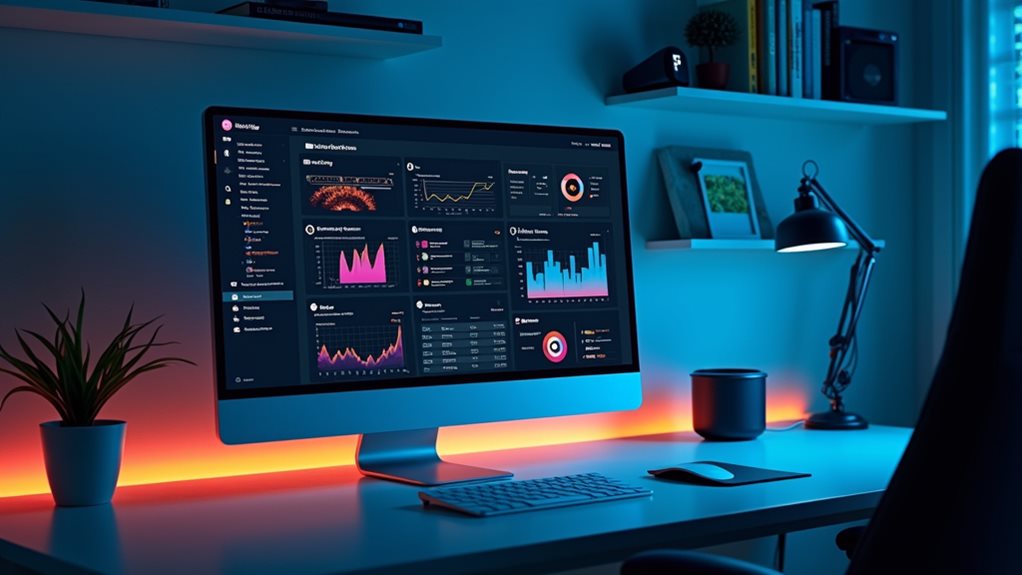
Since security threats evolve just as quickly as your website traffic, a top WordPress security plugin in 2026 must include real-time malware scanning with automatic cleanup. It should feature firewall protection, two-factor authentication, and activity logs. Incorporating safe automation practices ensures your site remains protected without risking penalties or spam filters. Regular updates and threat intelligence are crucial to stay ahead of emerging vulnerabilities. File integrity monitoring, vulnerability detection, and automatic hardening guarantee your site stays secure, while the security dashboard offers a clear overview of all critical functions.
How Do Leading WordPress Security Plugins Stack Up in Performance, Ease, and Value?
When evaluating leading WordPress security plugins, it quickly becomes clear that performance, ease of use, and value are closely intertwined—yet often delve into practice. Some plugins cause site slowdown due to resource-heavy malware scanning and firewall features, while others balance security features with resource efficiency. Premium plans often enhance site protection but may impact ease of use, especially for beginners. Additionally, comparing firewall protection and malware scanning] capabilities helps in understanding how these plugins perform in real-world scenarios. Recognizing how internal linking structures can influence plugin performance and site security can further optimize overall efficiency.
Which Security Plugins Are Best for Small Sites, Enterprises,, and Multi-Site Networks?
For small sites, choosing the right security plugin often boils down to balancing essential protection with simplicity and resource efficiency.
| Site Type | Recommended Security Solution | Key Features |
|---|---|---|
| Small sites | All-in-One Security, Defender | Malware scanning, firewall |
| Enterprises | Sucuri, Wordfence | Vulnerability management, incident response |
| Multi-site networks | Patchstack, ManageWP | Centralized control, scalability |
What Are the Main Benefits and Limitations of Popular WordPress Security Tools?

Popular WordPress security tools like Wordfence, Sucuri, and MalCare deliver features such as malware scanning, firewalls, and brute-force protection, but they often introduce performance impacts and false positives. While they enhance vulnerability detection and activity logging, limitations remain—like gaps in real-time protection and reliance on manual oversight. Proper setup and updates are essential for effective security. Additionally, understanding Google algorithm effects can help distinguish between genuine security issues and normal ranking fluctuations that happen over time. Being aware of content quality signals can also prevent misinterpretations of website health related to security concerns.
How to Choose the Right WordPress Security Plugin for Your Site in 2026?
Choosing the right WordPress security plugin in 2026 isn’t just about picking the one with the most features or the flashiest marketing; it’s about matching the plugin’s capabilities to your site’s specific risks and operational needs. Focus on malware protection, firewall, and vulnerability monitoring. Consider update frequency, ease of use, and support quality to guarantee reliable site protection and long-term security features. You can also measure SEO progress with trends and business metrics instead of obsessing over daily ranking movements.
And Finally
Choosing the right security plugin in 2026 hinges on understanding your site’s specific needs, whether it’s a small blog or a multi-site enterprise. Focus on proven features like real-time scanning, strong firewall options, and ease of management. Avoid flashy promises and prioritize tools with consistent updates and solid reputations. Remember, no plugin is foolproof, but a sensible, well-configured security setup considerably reduces risk—and that’s what really counts in the long run.