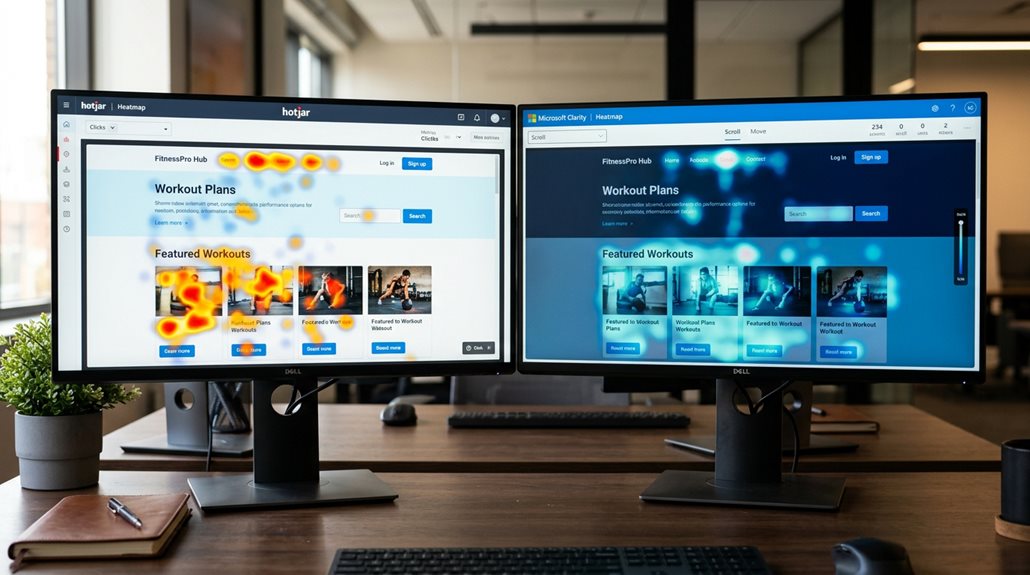
Hotjar vs Microsoft Clarity: Which Heatmap Tool Wins?
If you need a free, straightforward tool with unlimited recordings, Microsoft Clarity is a solid choice, especially for small sites on tighter budgets. Hotjar offers more advanced features like detailed feedback, funnel analysis, and collaboration, but at a cost and with some limitations on data retention and traffic. Your decision hinges on whether you prioritize cost-effective understanding or a richer feature set—stick around, and you’ll uncover more practical ways to get it right.
TLDR
- Hotjar offers advanced features like feedback polls, funnel analysis, and team collaboration, whereas Clarity provides basic visualization at no cost.
- Clarity provides unlimited session recordings and heatmaps for free, while Hotjar’s features are limited by paid plans.
- Hotjar has more comprehensive privacy controls and data residency options, aiding compliance.
- Clarity focuses on passive behavioral insights with straightforward heatmaps, suitable for small businesses with limited budgets.
- Hotjar’s paid plans include longer data retention, integrations, and active feedback tools, making it more feature-rich for larger teams.
Which Heatmap Tool Is Right for Your Business? Hotjar vs Clarity

When choosing a heatmap tool for your business, the decision often boils down to your budget and the level of detail you need. Clarity offers free, unlimited session recordings and core heatmaps, ideal for small businesses. Hotjar provides paid plans with advanced features like feedback tools, behavioral signals, and longer data retention, making it better for comprehensive user analysis. However, it’s important to consider that local search traffic can sometimes bring visitors who generate little value, so selecting a tool that helps analyze user engagement can improve your overall marketing strategy. Incorporating insights from safe AI strategies for local SEO automation can also help ensure your data collection remains compliant and effective.
Visualizing User Behavior: Heatmaps and Session Recordings Compared
When comparing heatmaps and session recordings, you’ll find that Hotjar offers more polished, segmented visualizations. Meanwhile, Clarity provides core understanding at a lower cost, with some diagnostic extras. Both tools help identify where users hesitate or click, but neither reveals the why behind those behaviors—so don’t assume you’ve cracked the code just yet. In practice, understanding these differences means choosing based on your budget, the level of detail you need, and how much you trust surface-level data to inform your decisions. Additionally, performance and lead-generation features can influence your choice, especially if your focus is on optimizing conversion rates. Considering SEO considerations, such as site speed and technical setup, can also impact how effectively these tools integrate with your website and contribute to your overall digital strategy.
Heatmap Types and Insights
Heatmaps are essential tools for understanding how visitors interact with your website, but not all heatmaps are created equal, nor do they reveal the same comprehension. Here’s a quick look:
| Heatmap Type | Features | Perspectives Provided |
|---|---|---|
| Clicks & Scrolls | Basic, easy to set up | User engagement & behavior patterns |
| Move & Engagement | Detailed, visualizations | Behavior subtleties, rage/dead-clicks |
| Special diagnostics | Rage & dead-clicks | Frustration points, usability issues |
Session Recording Features
Session recordings are a vital complement to heatmaps, providing a granular view of how users steer your site in real-time.
Clarity recordings offer unlimited session playback with detailed session data, advanced filtering options, and behavior analysis tools, making behavior understanding more accessible.
Hotjar sessions are limited but include notes and tags, helping teams collaborate on understanding user behavior more effectively.
Data Comparison and Limitations
While heatmaps and session recordings both serve as visual tools to understand user behavior, their limitations can considerably influence how confidently you interpret the data.
- Heatmaps may not show the full scene due to plan restrictions on recording capacity and sample sizes.
- Session recordings are limited by retention periods, affecting traffic analysis.
- Data limitations can obscure behavior understanding, especially for infrequent users.
- Both tools’ perspectives depend on the quality and breadth of data collected, not just visuals.
Feedback, Funnels, and Privacy: How Do Hotjar and Clarity Stack Up?
Feedback, Funnels, and Privacy: How Do Hotjar and Clarity Stack Up?
When it comes to collecting user feedback and understanding conversion paths, Hotjar’s built-in surveys and funnel analysis give you direct insights that Clarity simply doesn’t offer out of the box. Both tools support GDPR and CCPA compliance, but Hotjar’s more detailed privacy controls and respect for Do Not Track make it easier to stay within legal boundaries without sacrificing data quality. If you’re serious about tying user input to behavior, Hotjar’s integrated approach tends to save you time, while Clarity’s focus on visualization can leave you guessing about user motivations. Additionally, Hotjar’s ability to automate internal linking helps improve site crawlability and user navigation without manual effort. Incorporating structured data best practices can further enhance your data collection and search engine visibility, giving you a more comprehensive understanding of user interactions.
Privacy Compliance Standards
Understanding how Hotjar and Microsoft Clarity handle privacy compliance is essential if you want to avoid unwelcome surprises or legal headaches. Both tools require proper setup, including user consent and data masking.
They comply with GDPR and CCPA but differ in data residency, with Hotjar offering EU data centers and data policies, while Clarity masks sensitive content by default.
- User consent management via Consent API
- Data masking and handling sensitive content
- Privacy policies disclosure and cookie banners
- Data residency options and EU data centers
Funnel and Survey Features
Hotjar and Microsoft Clarity approach funnel and survey features quite differently, reflecting their core philosophies. Hotjar offers customizable multi-step funnels and strong survey widgets that generate real feedback understandings and enhance user engagement.
Clarity, however, only recently added funnel capabilities, with limited customization, focusing more on passive behavioral signals. Both guarantee GDPR compliance but differ in data control.
Integrations and Setup: Which Tool Fits Your Workflow?
Getting your tracking code installed quickly and smoothly can make or break your ability to analyze user behavior without headaches.
- Both tools support platform compatibility with Next.js, WordPress, and Shopify.
- Clarity’s setup involves creating a project, copying the snippet, and pasting it into the header.
- Hotjar’s installation is similar but offers plugin support and integrations with Slack, Jira, and more.
- APIs, webhooks, and automation help customize workflow, but watch out for setup pitfalls.
- When choosing between the two, consider how their SEO features and site speed can impact your overall website performance.
Pricing, Performance, and Long-Term Value of Hotjar and Clarity
When comparing Hotjar and Clarity on pricing, performance, and long-term value, you need to look beyond just which tool is free or paid.
Clarity offers unlimited sessions and recordings at no cost, making it highly cost-effective for small sites.
Hotjar’s tiered plans, which scale with traffic, provide advanced features but can get expensive.
Long-term data retention also varies, affecting your analysis.
Which Tool Is Best for Your Business in 2026? Final Recommendations
In 2026, choosing the right web analytics tool depends heavily on your business size, goals, and budget—there’s no one-size-fits-all answer.
- Microsoft Clarity suits small businesses with its free, unlimited heatmaps and session recordings.
- Hotjar offers richer user understanding, surveys, and feedback features, ideal for larger teams.
- Both tools now include AI summaries and automation, but Clarity’s quick setup makes it more accessible.
And Finally
Based on my experience, Hotjar offers more thorough understanding for user feedback and funnels, making it ideal for detailed analysis. Clarity’s simplicity and faster setup suit smaller teams or projects with straightforward needs. Don’t fall for the myth that more features always mean better results; focus on what aligns with your goals and workflow. Ultimately, choose what integrates seamlessly into your existing tools and provides clear, actionable data—because in the end, insights that don’t lead to action are just pretty maps.