How to Identify a Negative SEO Attack
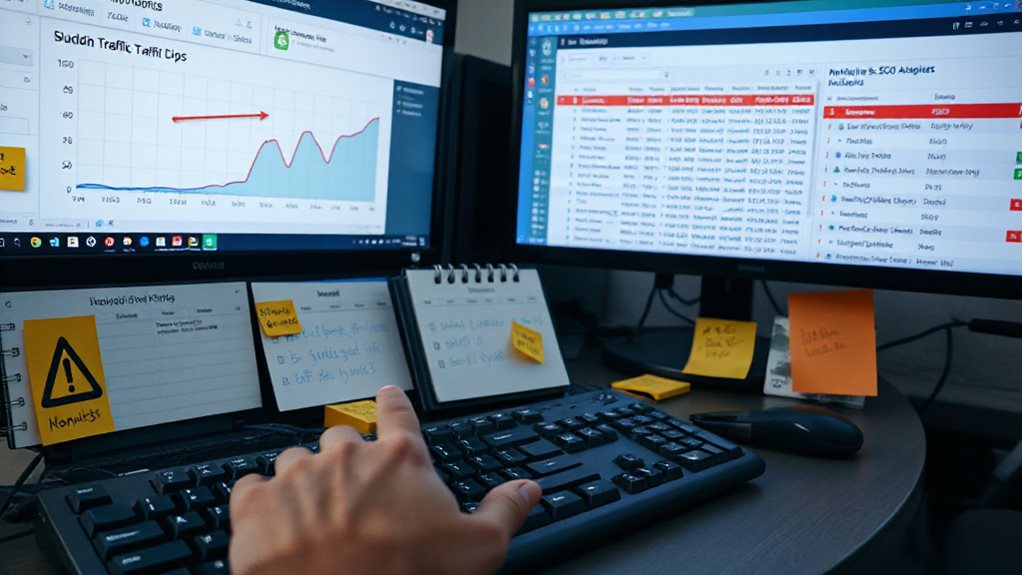
You’ll catch a negative SEO attack by watching for sharp, unnatural patterns that don’t match normal algorithm behavior. I check Google Search Console weekly for sudden impression drops, pages vanishing from the index, and crawl error spikes—those are your early warnings. Cross-reference that with backlink monitoring; a flood of toxic links or scraped content stealing your rankings often arrives together. Traffic falling 40% overnight with erratic keyword jumps across unrelated terms signals manipulation, not a typical update. Bot traffic will spike your analytics without conversions, while real visitor loss shows in engagement metrics crumbling. Document everything before you act—I’ve seen too many site owners panic-disavow links Google already ignored, wasting time they could’ve spent on actual fixes. The patterns are unmistakable once you know where to look, and the defenses are straightforward if you move methodically.
TLDR
- Monitor Google Search Console weekly for sudden impression drops, index coverage changes, and penalty warnings.
- Watch for unnatural traffic patterns like 40% overnight losses or erratic ranking jumps across unrelated keywords.
- Detect scraped content by searching exact headline snippets and checking Copyscape for unauthorized duplication.
- Analyze backlink spikes with automated tools, flagging suspicious anchor text and low-quality referring domains.
- Filter real user metrics from bot traffic by checking engagement duration, conversion paths, and extreme bounce rates.
Catch Negative SEO Early in Google Search Console

Why wait for disaster when Google Search Console practically hands you the early warning system? I check mine weekly, watching for crawl errors spiking, pages mysteriously dropping from index, or canonical URLs that don’t match my settings. Those coverage reports reveal what Google’s actually indexing versus what you’ve removed. Set up those email alerts too—catching manipulation early beats scrambling after penalties. Sharp drops in impressions or clicks in your Performance report can signal an active negative SEO attack before penalties fully hit. Use AI SEO tools like rank tracking to correlate traffic changes with specific ranking shifts and rule out algorithm updates.
Spot Toxic Backlinks Before They Trigger Penalties
How exactly do you spot a toxic backlink before it drags your rankings down? I rely on automated tools that flag sudden link spikes and suspicious anchor text patterns, but I never trust algorithms blindly. You’ll want to check Domain Authority, Trust Flow ratios, and whether anchor text exceeds 50% exact-match keywords. I manually inspect referring domains too—pages with 100+ outbound links scream link farm. Watch for irrelevant sources flooding your profile; I’ve seen attacks trigger penalties within weeks. Real-time monitoring enables swift intervention before toxic links accumulate enough to trigger algorithmic penalties, significantly reducing your recovery time compared to waiting for periodic audits. Also be aware that bloated themes can indirectly harm SEO by slowing site speed and lowering user engagement, which magnifies the impact of any backlink issues.
Traffic Drop Patterns That Confirm Negative SEO Damage

You’ll notice negative SEO through traffic drops that don’t match typical algorithm patterns—sudden, sharp declines often paired with erratic ranking jumps across unrelated keywords. I’ve seen sites lose 40% of traffic overnight while simultaneously bouncing between page one and page five for their core terms, which algorithm updates rarely cause. If your analytics show this specific signature, you’re likely looking at coordinated manipulation rather than a routine Google adjustment. High-quality content and strong technical optimisation remain essential defenses even when combating malicious attacks.
Sudden Traffic Declines
When organic traffic vanishes overnight, your first instinct might be panic—but I’ve learned that pattern recognition separates real attacks from phantom declines. You’ll spot negative SEO by watching for unnatural backlink spikes in Ahrefs followed by sharp cliffs in traffic, not the gentle erosion of algorithm updates.
Check Google Search Console for penalty warnings that align precisely with your drop dates. Daily monitoring catches these patterns before they devastate your rankings, letting you distinguish malicious intent from Google’s latest vague “helpful content” reshuffle.
Ranking Volatility Spikes
Why does your traffic chart suddenly look like a seismograph during an earthquake? I’ve seen this pattern destroy businesses that mistake algorithmic volatility for negative SEO. You need to distinguish between normal fluctuations and sustained spikes—when your rankings bounce wildly across multiple keywords simultaneously, that’s your signal.
Check SERP volatility tools; if scores spike industry-wide, you’re likely facing algorithm changes, not sabotage.
Tell Real Ranking Drops From Normal Algorithm Fluctuations
How can you tell whether your rankings genuinely tanked or Google’s just doing what Google does? I look at timing, scope, and traffic together. A 10-30 position slip after you optimize something? That’s normal reevaluation. Drops across every keyword with sinking traffic? That’s worth investigating. I’ve seen too many people panic over Google’s weekly volatility—save your energy for patterns that actually matter. Top search rankings don’t always bring valuable traffic, so a No. 1 spot isn’t always the goal; focus on meaningful traffic and conversion metrics instead.
Find Scraped Content Stealing Your Rankings
You can spot scraped content stealing your visibility by searching exact snippets of your original work in quotes, then watching who ranks—scraper sites often outrank you for nonsense phrases, which tells you everything about their “quality.”
I always check Google Search Console for non-original pages dominating impressions, because that’s where you’ll see the real damage, not just vanity metrics.
When you find theft, move fast with DMCA takedowns and document everything; hosts vary wildly in responsiveness, so don’t pin your hopes on a single complaint.
Content Duplication Detection
Few things sting quite like watching your own words climb someone else’s rankings, and I’ve seen it sour more than one promising campaign. You’ll catch scrapers fast with `site:competitor.com “your exact headline”` searches, and I always run Copyscape quarterly—cheap insurance against content theft. Don’t trust gut feelings here; Siteliner’s percentage breakdowns reveal duplication you’d otherwise miss entirely.
Plagiarism Response Tactics
Once you’ve spotted your content living rent-free on another domain, the real work begins—because finding plagiarism means nothing if you don’t act on it fast.
I’ve used Copyscape to generate takedown lists at $0.03 per 200 words, and Originality.ai’s URL scanning for quick percentage checks.
Don’t just rewrite; document everything, send DMCAs, and use Surfer SEO’s AI templates to outrank scrapers with stronger, optimized replacement content.
Detect Hacked Site Symptoms Google Uses to Penalize You
Where exactly does Google draw the line between a site that’s merely struggling and one that’s actively compromised?
You’ll spot the difference in Search Console’s Security Issues tab—”Hacked content” or “Malware” flags mean Google’s already noticed injected pages, spammy redirects, or cryptic files you never uploaded.
I’ve seen sites rank for queries in languages they don’t serve; that’s your cue something’s lurking in the code.
Identify Fake Reviews and Brand Attacks in Search Results

Most business owners don’t notice fake reviews until they’ve already cost you revenue—I’ve watched a single coordinated attack drop conversion rates by 30% before the client even realised something was wrong. You need to spot repetitive wording, exaggerated claims, and suspicious timing patterns. Monitor Google Search Console for unusual activity and run monthly brand searches to catch coordinated attacks early.
Filter Bot Traffic Noise From Real Visitor Loss in Analytics
You’ll spot bot traffic hiding in plain sight by comparing engagement times across your channels—when one source shows 0.5-second averages while others hold steady at 40+ seconds, you’ve found your culprit.
I’ve watched Google Analytics misclassify bots as organic or direct traffic so often that I now cross-check Microsoft Clarity’s filtering, which recently caught nearly 1,000 fake sessions in a single month for one of my clients.
Filtering this noise isn’t optional housekeeping; it’s how you protect your A/B tests, attribution models, and conversion tracking from decisions based on automated nonsense rather than actual human behavior.
Bot Traffic Patterns
The deluge of bot traffic drowning your analytics isn’t a future problem—it’s already warping your data right now. I spot sudden traffic spikes without conversions, extreme bounce rates from single countries, and sessions averaging half a second—these aren’t engaged visitors, they’re bots. Watch direct traffic surging 300% overnight, or referral channels showing impossible patterns. Your 43-second human average collapses when scrapers hit. Check user agents, IP clusters, and that suspicious “Dark Visitors” spike. I’ve seen 68% of “direct” traffic prove artificial upon inspection. These patterns reveal themselves quickly once you know what contradicts genuine human behavior.
Real User Metrics
Spotting bot traffic is only half the battle—I’ve watched too many site owners panic over “collapsing” traffic that was never real to begin with.
You need to isolate genuine user behaviour: check engagement duration, scroll depth, and conversion paths. Filter your analytics by session quality, not just volume.
Real visitor loss hurts; phantom traffic just wastes your attention.
Stop Aggressive Bot Crawling From Crashing Your Server

Nothing kills a site’s performance quite like a bot army hammering your server at 3 AM—I’ve watched hosting bills double overnight and legitimate customers bounce because pages wouldn’t load. You’ll stop this by implementing nginx rate limiting at the reverse proxy layer, configuring strict velocity rules like ten requests per ten seconds per IP, and deploying Cloudflare or AWS WAF with managed bot signatures that challenge headless browsers before they touch your origin. Set Redis maxmemory limits with LRU eviction so aggressive crawlers can’t crash your cache layer, and establish baseline traffic monitoring with automated alerts for credential stuffing patterns or unexplained conversion drops. The mistake I see repeatedly? Relying solely on IP blocking while adaptive bots rotate addresses faster than you can update rules. Layer your defenses—WAF first, then application-level proof-of-work challenges on resource-intensive endpoints like faceted search, and finally whitelist-based API access controls that drop malformed requests automatically.
Disavow Toxic Links and Submit Reconsideration Requests
Why do so many site owners rush to disavow links at the first whiff of spam? I’ve seen this panic backfire repeatedly. Google’s algorithms already ignore isolated junk links, so you’ll waste time and risk harming legitimate rankings.
Instead, you should contact webmasters first, document everything, and only disavow after confirming a real attack—then submit your reconsideration request with evidence of cleanup efforts.
And Finally
You can’t prevent every negative SEO attempt, but you can catch them early enough to limit the damage. I’ve seen businesses recover from brutal attacks because they monitored Search Console weekly, audited backlinks quarterly, and acted fast on anomalies. The tools are free; the discipline isn’t. Build these checks into your routine now, and you’ll sleep better when someone tries to drag you down. Paranoia helps, but preparation wins.